
How Does a Rigid Box Making Machine Handle Glue Application and Paper Feeding?
A rigid box making machine feeds cover sheets individually and applies adhesive to the required bonding area before greyboard placement and edge folding. Stable feeding keeps the paper aligned, while controlled glue application supports even bonding. Both systems must suit the covering material, adhesive and production speed.
How the Two Systems Work Together
Separate one sheet → Feed it squarely → Apply a controlled adhesive layer → Transfer it for board placement → Fold and bond the edges
How Does an Automatic Paper Feeder Work?
An automatic paper feeder separates cover sheets from a stack and delivers them to the gluing section at controlled intervals. Depending on the design, it may use suction, air separation, guides and transport elements to handle each sheet.
The feeder needs to deliver one sheet at a time, keep it square and match the timing of the next station. Curled paper, uneven stacks or unsuitable separation settings can cause missed sheets, double feeding or skewed delivery.
- Stack preparation: Align the sheets and check for curl, damaged edges or sheets sticking together.
- Sheet separation: Adjust the available suction and air settings for the paper’s weight and surface.
- Transport: Set guides and contact pressure so the sheet travels smoothly without dragging or marking.
- Timing: Confirm consistent delivery at the intended production speed.
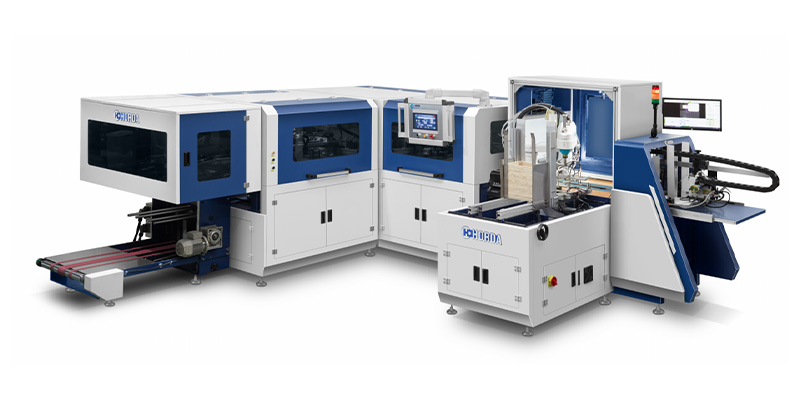
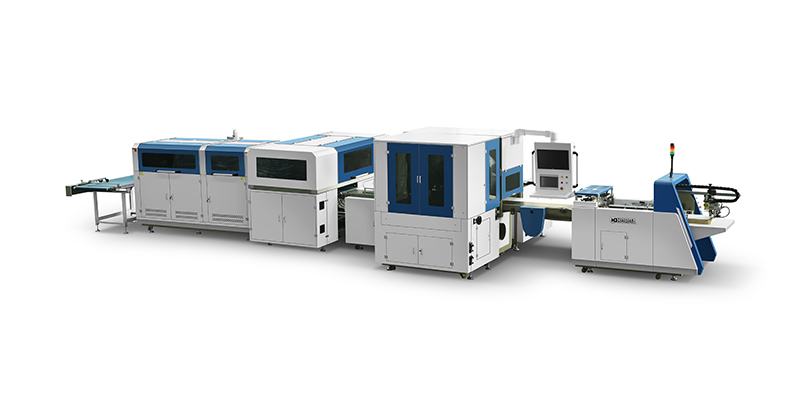
HORDA’s rigid box making machines combine feeding with gluing, positioning and folding. Feeder suitability should therefore be checked using the same covering paper that will run through the complete process.
What Is the Role of Glue Application in Rigid Box Making?
Glue application creates the bond between covering material and greyboard, including the paper margins folded around the edges. The adhesive must remain workable through placement and folding, then develop the required bond.
Roller-coating systems commonly spread adhesive over the bonding side of the sheet. The coating area and adjustment method depend on the equipment; selective patterns or glue-free areas require a compatible application system.
Too Little Adhesive
May leave dry areas, weak bonding or folded margins that lift after processing.
Too Much Adhesive
May cause squeeze-out, machine contamination or excessive wetting, depending on the adhesive and paper.
Uneven Application
Can create inconsistent bonding across the sheet, even when the overall glue quantity appears sufficient.
The correct coating depends on paper absorbency, board surface, adhesive properties and the time between gluing and pressing. Adding more glue is not a reliable solution to every bonding problem.
How Does Glue Temperature Affect Paper Feeding?
In a heated adhesive system, temperature affects glue flow and transfer, which can influence how the coated paper releases and travels. It mainly affects handling during and after gluing rather than sheet separation at the upstream feeder.
If a temperature-sensitive adhesive is too cool, it may become difficult to spread evenly. Excessive heat can change its working behavior or damage the adhesive, depending on its formulation.
Use the adhesive supplier’s operating range together with the machine instructions. Check actual operating conditions after warm-up; the tank display alone may not describe the temperature at every application point.
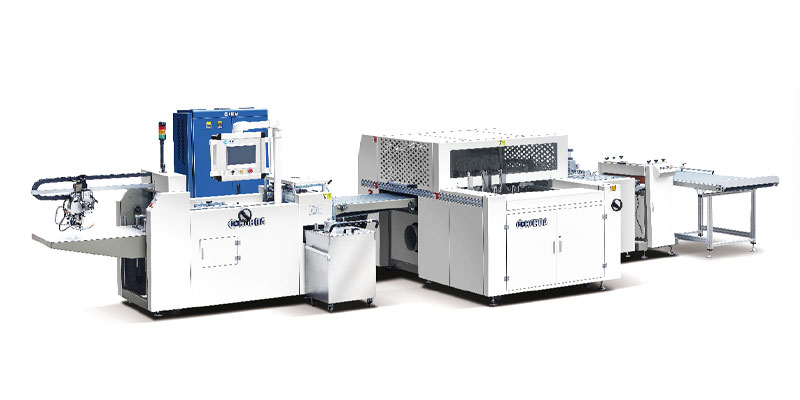
HORDA’s ZFM-700K product description also lists constant-temperature heating in the paper-conveying structure to help prevent moisture-related roller sticking. Conveyor heating and glue-tank heating serve different purposes, so confirm which functions are included in the proposed configuration.
Why Can Paper Stick to Feeding Rollers?
Paper can stick because of adhesive contamination, moisture, unsuitable glue behavior or poor release from the application and transport surfaces. First identify whether sticking occurs before gluing, at the coating roller or farther along the conveyor.
- Adhesive buildup: Glue on unintended contact surfaces can catch subsequent sheets.
- Excessive coating: Glue can transfer to surrounding parts and accumulate during the run.
- Moisture or condensation: Damp contact surfaces can disrupt paper release in affected operating conditions.
- Material condition: Curled, damp or very flexible paper may follow a roller instead of transferring cleanly.
- Release settings: Incorrect clearances, guides or stripping elements can interfere with sheet separation from a roller.
Clean affected parts and inspect release components according to the machine instructions. Increasing temperature or reducing glue without locating the cause can introduce another problem.
How Does Automatic Glue Circulation Work?
Where fitted, automatic circulation moves adhesive through the system’s supply and return path to keep it available at the application section. The tank, pump, return arrangement and temperature controls vary by machine.
Circulation can help maintain consistent operating conditions, but it does not automatically measure or correct every adhesive property. Automatic replenishment, viscosity control and filtration are separate functions that require confirmation.
HORDA describes insulated glue tanks with automatic circulation within its rigid box machine range. Buyers should verify the actual configuration, supported adhesive and cleaning procedure for the selected model.
Check the glue level, flow and return path during operation. Follow the adhesive instructions for replenishment and shutdown; do not add water or other diluents unless the formulation and operating procedure permit it.
What Should Be Checked When Adjusting the Feeding and Gluing System?
Check material condition and mechanical cleanliness first, then adjust feeding, adhesive application and production timing in sequence. Change one setting at a time so the result is easier to assess.
- Confirm the materials. Check paper size, weight, coating, curl and adhesive compatibility. Use representative production stock.
- Inspect contact surfaces. Remove adhesive residue and check rollers, guides and release components for contamination or wear.
- Stabilize feeding. Set stack position, sheet separation, guides and transport pressure. Confirm reliable single-sheet delivery.
- Set adhesive conditions. Check glue level, coating adjustment and temperature where applicable. Inspect coverage across the sheet.
- Check process timing. Ensure the adhesive remains workable until board placement and edge folding are complete.
- Verify a continuous run. Inspect accepted cases at the intended speed, including samples after stops and restarts.
Assess bonding after the specified setting or curing period as well as immediately after production. A case that looks acceptable at discharge may still develop lifted edges or distortion later.
How Can You Identify Feeding and Gluing Problems?
Find the first stage where the defect appears, then check the settings and materials associated with that stage. Similar surface defects can have different causes.
Skewed Sheets or Uneven Paper Margins
Check stack alignment, feeding guides, transport slip and board positioning. If the sheet is already skewed before coating, changing glue quantity will not correct the original feeding error.
Weak Bonds or Lifted Edges
Check adhesive compatibility, coverage, working time and pressing conditions. Also inspect turn-in width and board surfaces; weak edges do not always indicate insufficient glue.
Bubbles, Wrinkles or Surface Marks
Check for trapped air, paper curl, board flatness, contamination and unsuitable pressure as well as adhesive application. Excessive moisture may contribute with some materials, but glue should not be assumed to be the only cause.
Defects That Repeat at Regular Intervals
Inspect rotating contact parts for buildup, damage or uneven contact. Compare the spacing of the marks with the relevant roller movement to help locate the source.
Record the paper batch, adhesive condition, operating speed and adjustment made during troubleshooting. Comparing samples before and after each change helps establish which setting actually improves the result.