
How to Improve Edge Wrapping Quality on an Automatic Rigid Box Machine
Improve edge wrapping by matching paper size, board placement, adhesive coverage and folding settings to the job. Inspect the first pieces and sample throughout production.
Clean materials, stable feeding and suitable adhesive conditions help maintain neat edges and corners. When defects appear, check where they begin before increasing pressure or changing several settings at once.
What Causes Uneven Wrapped Edges?
Uneven edges usually result from incorrect paper allowances, offset boards, unstable material handling or unsuitable folding settings. Adhesive conditions and material variation can also affect the result.
Inspect a sample before folding. If the paper margins are already unequal, check cutting, feeding and board placement. If they become uneven during folding, inspect workpiece movement, folding contact and timing.
Recommended Checking Order
Materials and dimensions → Board placement → Adhesive coverage → Transfer stability → Folding settings → Finished-case inspection
How Should Paper and Greyboard Be Prepared?
Use correctly sized, flat and clean materials with square cuts and undamaged edges. Dust, paper scraps and rough board edges can create raised spots, poor contact or visible imperfections beneath the cover.
- Cover paper: Check dimensions, corner cuts, curl and surface condition.
- Greyboard: Check thickness, squareness, flatness and edge quality.
- Contact surfaces: Remove loose particles and adhesive residue using the approved cleaning procedure.
- Material storage: Avoid abrupt moisture changes and follow the material supplier’s conditioning guidance.
If the product uses grooved board, also inspect groove location, consistency and remaining board thickness. Grooving is a separate preparation step for applicable structures; it is not required for every flat multi-panel case.
How Does Board Positioning Affect Edge Wrapping?
Board placement determines the paper available around each edge and the spacing between panels. An offset or skewed layout can produce uneven turn-ins even when the folding mechanism repeats accurately.
- One side narrow and the opposite side wide: Check board offset and the intended paper allowance.
- A margin that tapers along an edge: Check sheet squareness, board squareness and skewed placement.
- Variation between consecutive cases: Check feeding, gripping, detection references and mechanical stability.
Servo motion and photoelectric or CCD detection can support positioning, but their roles differ. Inspect references and alignment according to the machine instructions rather than assuming the detection system alone guarantees finished-case accuracy.
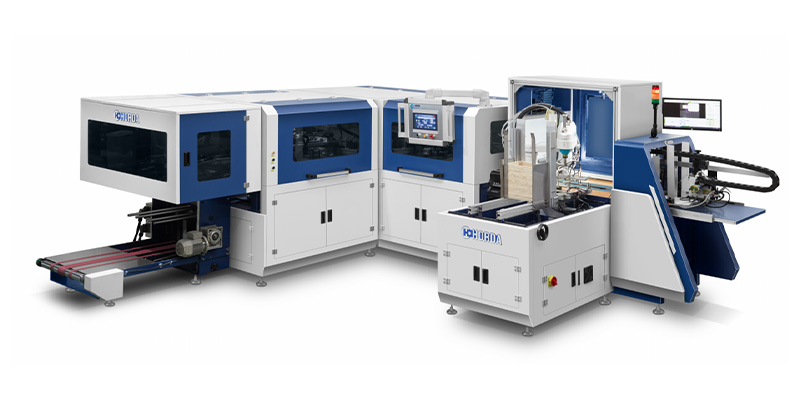
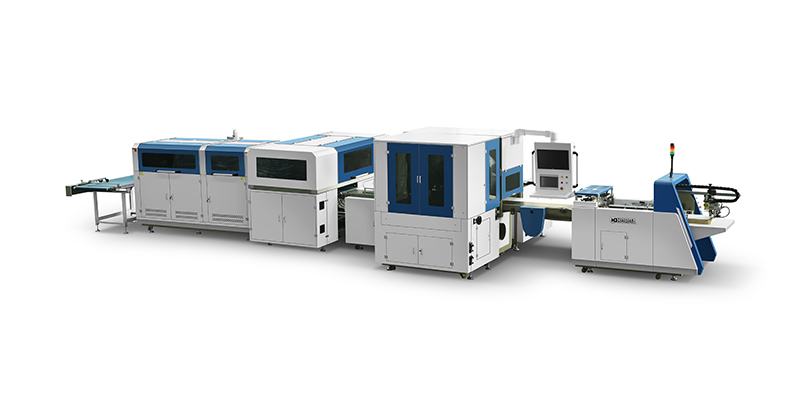
HORDA’s rigid box making machines combine feeding, gluing, positioning and folding. Following the case through these stages helps identify where an error first develops.
How Does Paper Size Affect Edge Coverage?
The sheet must cover the complete flat board layout, wrap around the board thickness and leave enough reverse-side allowance for bonding. Corner cuts must preserve sufficient material without creating excessive overlap.
Too Little Allowance
Can leave exposed board, weak turn-ins or uncovered corners.
Too Much Allowance
Can create bulky overlaps or interfere with joints, folding components and lining.
Incorrect Corner Cuts
Can either remove necessary coverage or leave excess paper that wrinkles during folding.
Confirm allowances with the actual board thickness, cover material and case design. Do not reuse a previous sheet size without checking these differences.
How Does Glue Application Influence Wrapping Quality?
A uniform, suitable adhesive layer helps the paper bond around the edges without dry areas or excessive squeeze-out. The adhesive must remain workable through placement, folding and pressing.
Check coverage along the turn-ins and corners, not only in the center of the sheet. Inspect glue level, contamination and application consistency during the run.
- Insufficient or uneven coverage: May leave loose edges or locally weak bonds.
- Excessive application: May cause squeeze-out, contamination or excessive wetting with some materials.
- Unsuitable temperature or viscosity: Can affect spreading, transfer and bonding, depending on the adhesive.
- Long delays after coating: May allow the adhesive to lose workability before folding.
Use the adhesive supplier’s specified conditions and the machine’s operating procedure. Heated systems, circulation and viscosity controls vary by configuration; no single temperature or glue setting suits every job.
How Do Folding Settings Affect Corner Appearance?
Folding clearance, travel, sequence, timing and pressure control how the margins turn around the board and meet at the corners. Adjust them for the actual thickness, material and edge design.
Follow the sequence specified for the machine. Do not assume every system folds long sides first or uses the same corner-tucking action.
- Clearance: Allows the board and covering material to pass without dragging or crushing.
- Travel and timing: Guide the margin into position without pulling or bunching it.
- Pressing contact: Secures the folded paper without unacceptable marks.
- Component condition: Clean, correctly aligned folding surfaces help prevent scratches and repeated defects.
Increasing pressure cannot replace missing paper, correct a misplaced board or repair an unsuitable corner cut.
How Do You Fix Common Edge-Wrapping Defects?
Match the visible defect to checks of material preparation, placement, adhesive and folding action. Change one setting at a time and compare consecutive samples.
Exposed Board or Open Corners
Check sheet size, corner cuts and board position first. Then verify that the folding mechanism guides the available paper fully around the edge.
Wrinkled or Bulky Corners
Check excessive overlap, paper stiffness, corner preparation and folding timing. Inspect clearance before adding pressure.
Loose Edges After Discharge
Check adhesive coverage, workable time and pressing contact. Also inspect whether material curl or stiffness is pulling the margin away before the bond develops.
Bubbles or Raised Spots
Check trapped air, dust, board flatness and adhesive distribution. Particles beneath the paper require cleaner materials or handling, rather than a pressure adjustment alone.
Scratches or Cracked Cover Paper
Inspect contact surfaces, clearances and pressure, together with paper flexibility and coating or lamination behavior.
How Can Manufacturers Maintain Consistent Edge Wrapping?
Approve the first pieces, record the job setup and inspect samples throughout production and after adhesive setting. Include checks after material changes, adjustments and restarts.
- Define acceptance. Use the drawing and an approved sample to establish edge coverage, turn-in width, corner finish and surface requirements.
- Record the setup. Note paper and board specifications, adhesive conditions and relevant machine settings.
- Sample during the run. Inspect at intervals suited to batch size and process stability, including after stops and replenishment.
- Allow the bond to develop. Follow the specified setting conditions before handling or stacking that could disturb the edges. Use additional pressing only where the process requires it.
- Validate the operating speed. Confirm acceptable wrapping at the intended rate. Rated machine speed does not establish edge quality.
Keep materials and production conditions stable, maintain the folding components, and retain samples when defects occur. These records make repeat problems easier to trace and help reproduce an approved result.